Download US Calendar 2026 free on android
APK file US Calendar 9.0.0How to install APK / APKS / OBB file on Android

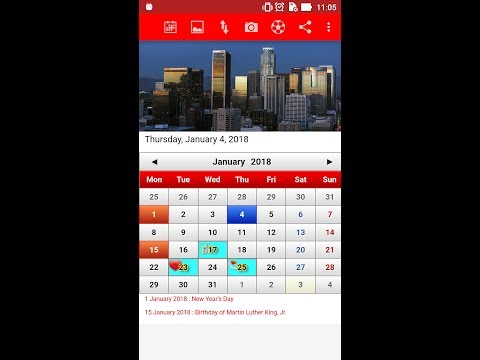


Plan your days easily with the US Calendar featuring public holidays from 2024, 2025, 2026 to 2030. Designed for simplicity and personalization, this calendar helps you stay organized and never miss important moments.
✨ Key Features:
• Add events or notes with custom icons and colors
• Mark important dates such as vacations, wedding anniversaries, and birthdays
• Set recurring annual events so you never forget them
• Personalize your calendar using your own photos
• Receive reminders for upcoming events
• Choose the start of the week: Sunday or Monday
• Quickly jump to today’s date or any specific date
Perfect for daily planning, personal schedules, and special occasions — all in one easy-to-use calendar.
- Update public holidays 2026, 2027.
- LicenseFree
- File nameUS Calendar
- File Version9.0.0
- Package namecom.agus.us.calendar
- Size7.68 MB
- UploadedJanuary 22, 2026
- Android5.0 or later

- CategoryProductivity
- DeveloperJatisari Inovasi Studio
- Developer sitehttp://agusharyanto.net
- Developer emailagus.superwriter@gmail.com
- md5 hash2b5f63b5a928f3d288da997b245b91ac
- Architecture-
- Permissionsshow (14)
